> ## Documentation Index
> Fetch the complete documentation index at: https://docs.configu.com/llms.txt
> Use this file to discover all available pages before exploring further.
# Create a Discord Webhook
> Learn how to send Activity Log events to a Discord channel.
## Prerequisites
* Access permissions to create a WebHook for your Discord channel.
* Configu Cloud organization with admin permissions
## Create a Discord WebHook
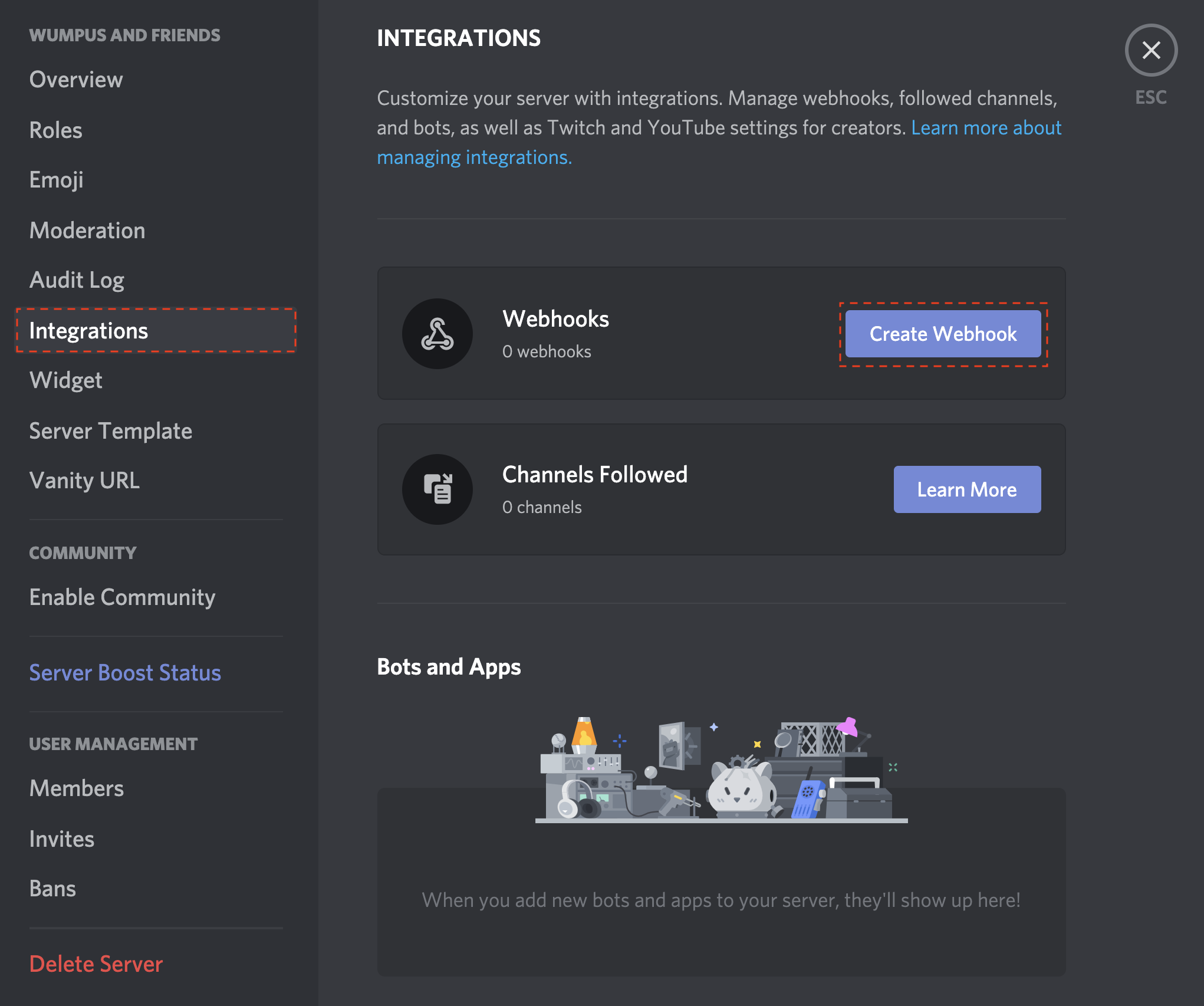
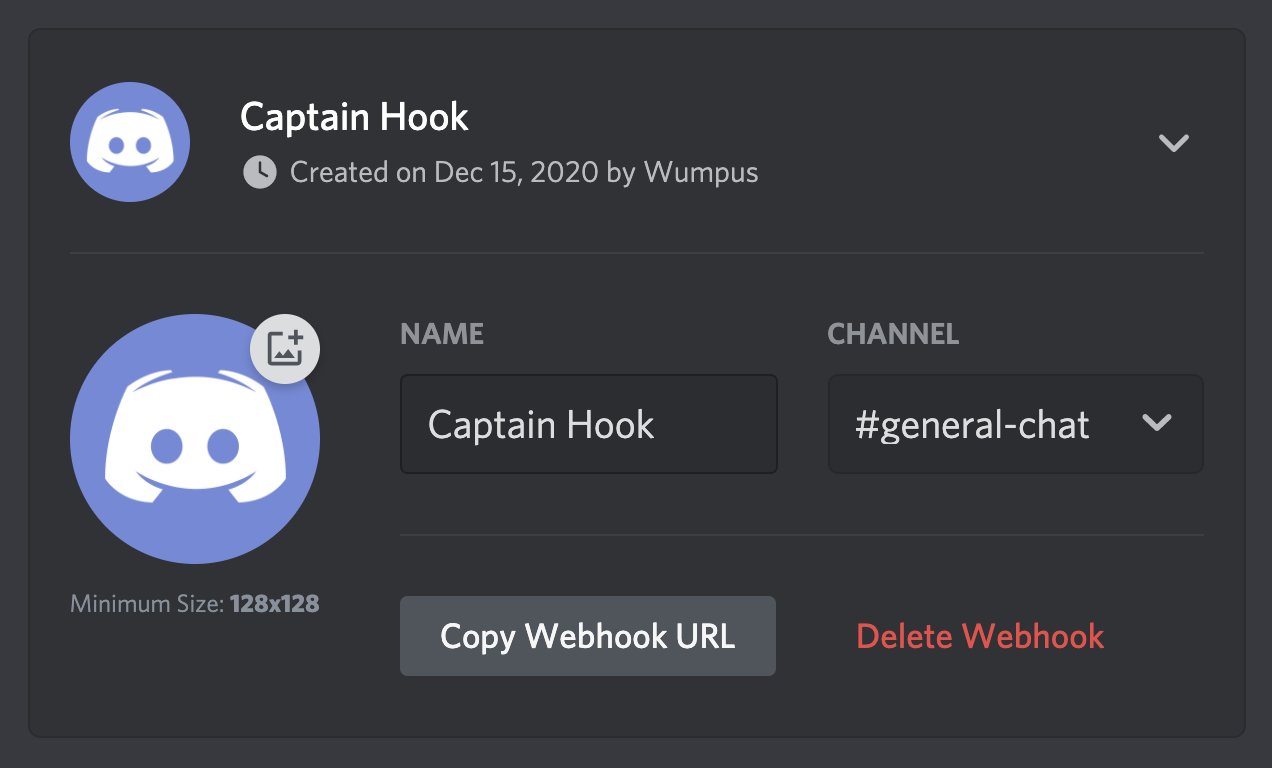
For this integration to work, you'll need a [Discord Webhook](https://support.discord.com/hc/en-us/articles/228383668-Intro-to-Webhooks).
Browse to that URL and follow the steps.
Get your Webhook URL which looks something like this: `https://discord.com/api/webhooks/XXXXXXXXXX/YYYYYYYYYY`.
 ## Create a Configu Webhook
1. Browse to the Webhooks page (/integrations/webhooks) in your Confgu Cloud organization.
2. Create a new webhook using the Slack Payload URL you obtained in the previous step.
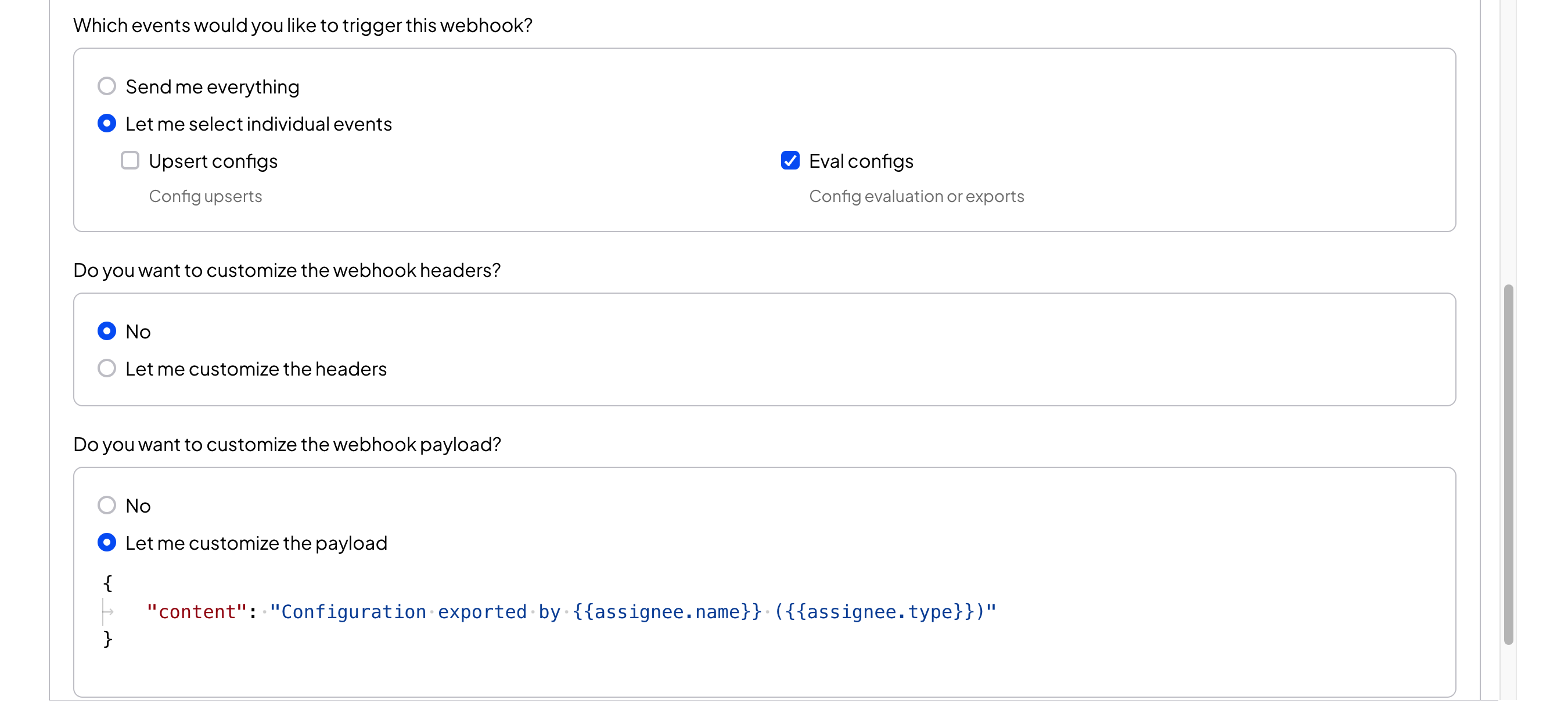
3. Customize your payload to include a `context` property with some message, and then click Create.
[Explore the Full Webhooks documentation](/integrations/store/configu/webhooks).
## Create a Configu Webhook
1. Browse to the Webhooks page (/integrations/webhooks) in your Confgu Cloud organization.
2. Create a new webhook using the Slack Payload URL you obtained in the previous step.
3. Customize your payload to include a `context` property with some message, and then click Create.
[Explore the Full Webhooks documentation](/integrations/store/configu/webhooks).
 Example result:
