> ## Documentation Index
> Fetch the complete documentation index at: https://docs.configu.com/llms.txt
> Use this file to discover all available pages before exploring further.
# Configs History
Configu has a robust [logging](/integrations/store/configu/audit-logs) and versioning system.
Similar to how source controls like git work, every action is recorded, viewable and can be reverted if necessary.
The history log is available for three entities:
* Set - allows you to see the history of the entire Set with every change
* Config - allows you to see the history of a specific config (key & set)
* Version Tag - allows you to set a snapshot as a version and then jump between versions
 ### Revision Tags
Tags are a way to mark a specific snapshot of the organization's configs as a version.
Once a tag is created, you can compare it with the current state of your organization and revert to it.
**Tags can be created, viewed, and reverted only by the organization's admins.**
Tags can only be created and applied to the entire organization, not to a specific set or config.
#### Create a tag
In order to create a tag you'll first need to create a token with the `Admin` role.
See [Tokens](/integrations/store/configu/tokens#assign-roles-to-a-token) for more information about creating tokens and assigning them roles.
Once your token is ready, you can create a tag with the following request to our API:
```shell theme={null}
curl --request POST \
--url https://api.configu.com/config/tag/revision \
--header 'Content-Type: application/json' \
--header 'Org: YOUR_ORG_ID' \
--header 'Token: YOUR_TOKEN' \
--data '{
"tag": "v1.0.0"
}'
```
Tag can be any alphanumeric string. optionally with the following characters: `. _ / -`
Your organization ID can be found under [organization settings](/integrations/store/configu/settings)
Upon success (status 200), your tag will be ready for use.
You can now view it in the history log and revert to it if necessary by opening the action menu and clicking **Show diff**.
### Revision Tags
Tags are a way to mark a specific snapshot of the organization's configs as a version.
Once a tag is created, you can compare it with the current state of your organization and revert to it.
**Tags can be created, viewed, and reverted only by the organization's admins.**
Tags can only be created and applied to the entire organization, not to a specific set or config.
#### Create a tag
In order to create a tag you'll first need to create a token with the `Admin` role.
See [Tokens](/integrations/store/configu/tokens#assign-roles-to-a-token) for more information about creating tokens and assigning them roles.
Once your token is ready, you can create a tag with the following request to our API:
```shell theme={null}
curl --request POST \
--url https://api.configu.com/config/tag/revision \
--header 'Content-Type: application/json' \
--header 'Org: YOUR_ORG_ID' \
--header 'Token: YOUR_TOKEN' \
--data '{
"tag": "v1.0.0"
}'
```
Tag can be any alphanumeric string. optionally with the following characters: `. _ / -`
Your organization ID can be found under [organization settings](/integrations/store/configu/settings)
Upon success (status 200), your tag will be ready for use.
You can now view it in the history log and revert to it if necessary by opening the action menu and clicking **Show diff**.

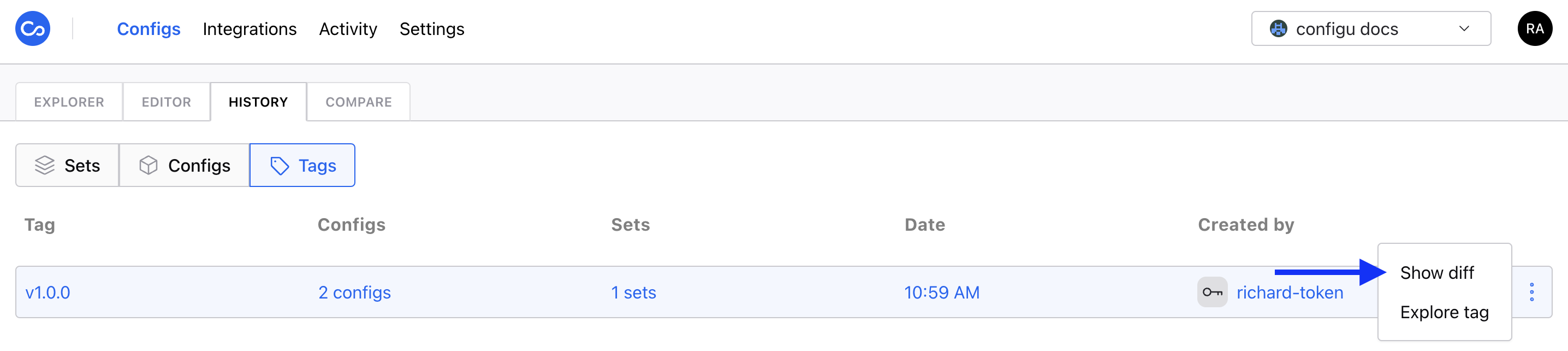
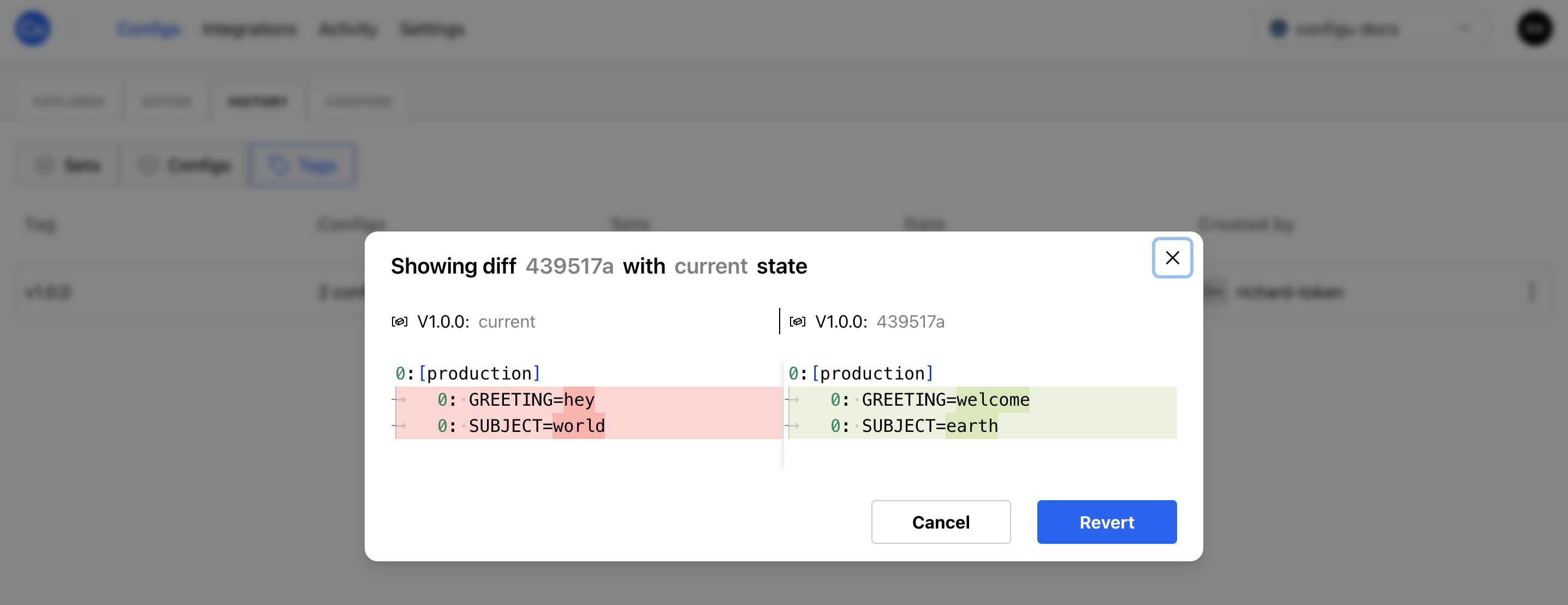 Only members with the `Admin` role have permission to access the `show diff` and `revert` actions.
#### Evaluating with a tag
You can use a tag to evaluate your configs with a specific snapshot of any existing tags to ensure your evaluations are deterministic. To do this, use `ConfiguConfigStore` with the `tag` parameter using any existing tag name.
Example usage with the [Node.js SDK](/interfaces/sdk/node/overview):
```js theme={null}
import { ConfiguConfigStore, ConfigSet, ConfigSchema, EvalCommand, ExportCommand } from '@configu/node';
import schemaContents from './start.cfgu.json';
(async () => {
try {
const store = new ConfiguConfigStore({
credentials: {
org: process.env.CONFIGU_ORG,
token: process.env.CONFIGU_TOKEN,
},
tag: 'v1.0.0',
});
const set = new ConfigSet('test');
const schema = new ConfigSchema('start', schemaContents);
const data = await new EvalCommand({
store,
set,
schema,
}).run();
const configurationData = await new ExportCommand({
pipe: data,
}).run();
} catch (error) {
console.error(error);
}
})();
```
To evaluate using the CLI, make sure to set the `CONFIGU_TAG` environment variable to the tag name you wish to use or provide the `tag` parameter directly [via a `.configu` file](/interfaces/.configu).
* Attempting to evaluate a tag that does not exist will result in an error.
* Evaluating configs without having the `read` permission will return an empty value.
* Evaluations with a tag will be marked with the tag in the [audit log](/integrations/store/configu/audit-logs). -
Evaluations with a tag will trigger webhooks with the tag name in the payload as `tag`.
#### Exploring a tag
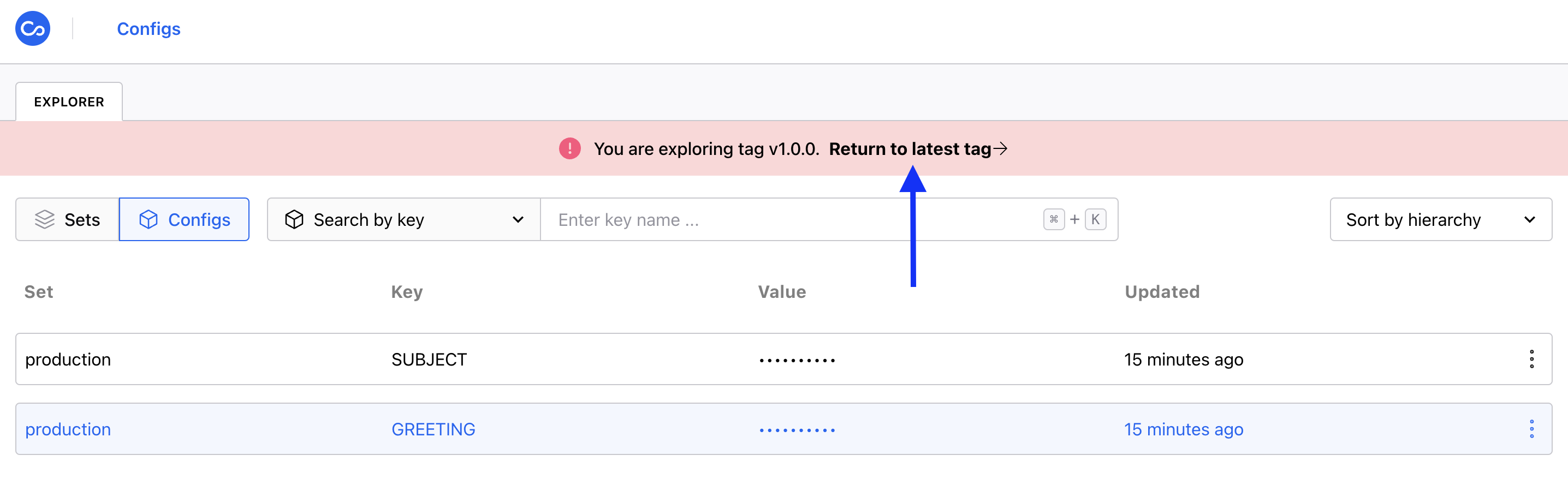
You can view the content of a tag by clicking `explore tag`.
Only members with the `Admin` role have permission to access the `show diff` and `revert` actions.
#### Evaluating with a tag
You can use a tag to evaluate your configs with a specific snapshot of any existing tags to ensure your evaluations are deterministic. To do this, use `ConfiguConfigStore` with the `tag` parameter using any existing tag name.
Example usage with the [Node.js SDK](/interfaces/sdk/node/overview):
```js theme={null}
import { ConfiguConfigStore, ConfigSet, ConfigSchema, EvalCommand, ExportCommand } from '@configu/node';
import schemaContents from './start.cfgu.json';
(async () => {
try {
const store = new ConfiguConfigStore({
credentials: {
org: process.env.CONFIGU_ORG,
token: process.env.CONFIGU_TOKEN,
},
tag: 'v1.0.0',
});
const set = new ConfigSet('test');
const schema = new ConfigSchema('start', schemaContents);
const data = await new EvalCommand({
store,
set,
schema,
}).run();
const configurationData = await new ExportCommand({
pipe: data,
}).run();
} catch (error) {
console.error(error);
}
})();
```
To evaluate using the CLI, make sure to set the `CONFIGU_TAG` environment variable to the tag name you wish to use or provide the `tag` parameter directly [via a `.configu` file](/interfaces/.configu).
* Attempting to evaluate a tag that does not exist will result in an error.
* Evaluating configs without having the `read` permission will return an empty value.
* Evaluations with a tag will be marked with the tag in the [audit log](/integrations/store/configu/audit-logs). -
Evaluations with a tag will trigger webhooks with the tag name in the payload as `tag`.
#### Exploring a tag
You can view the content of a tag by clicking `explore tag`.
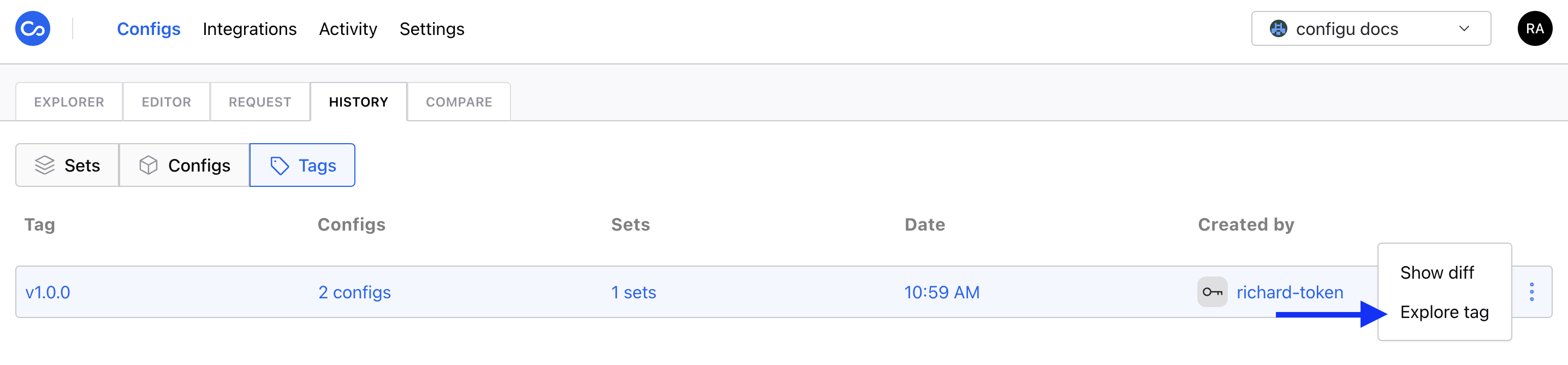 This will take you to the explorer tab where you will see the snapshot of the the tag. You can utilize the existing features of the tab to explore the snapshot.
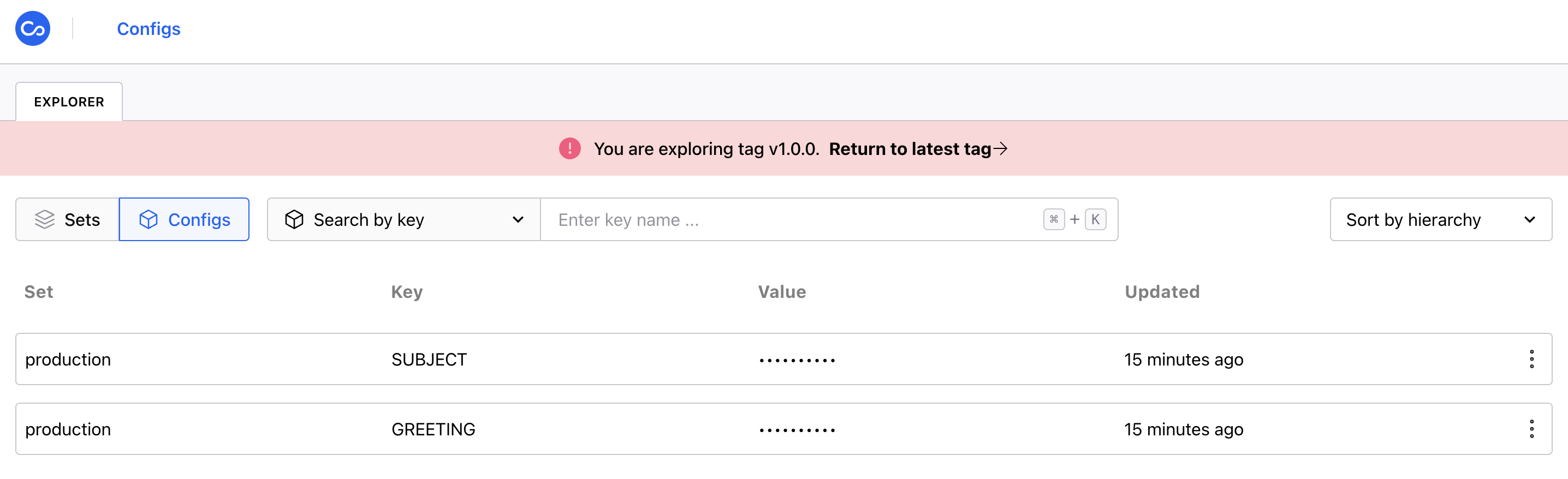 All navigation options are disabled during tag exploration.
All regular config action menu options besides `show value` are disabled during tag exploration.
You can view the value of the configs if you have the appropriate permission.
At any point you can exit the exploration mode by clicking `return to latest tag` in the banner at the top of the page.
 ### Rollbacks
For every history log entry, you will see a *Revert Changes* button inside the diff window.
### Rollbacks
For every history log entry, you will see a *Revert Changes* button inside the diff window.
