> ## Documentation Index
> Fetch the complete documentation index at: https://docs.configu.com/llms.txt
> Use this file to discover all available pages before exploring further.
# Settings
You can manage your organization in your organization settings.
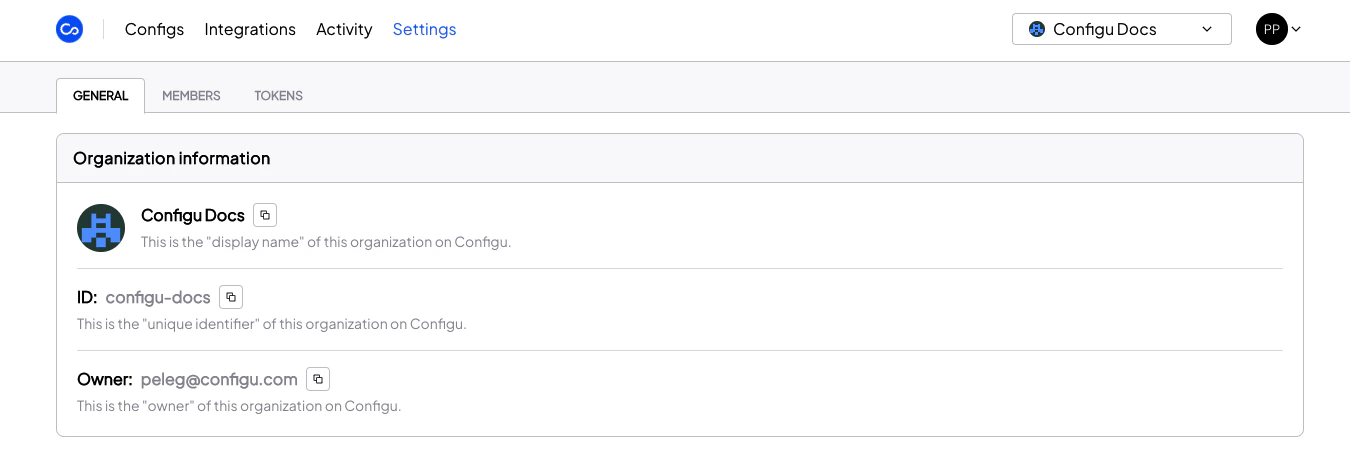
## Organization Information
Here you can find your organization information, including org and owner.
 ## Feature Settings
* **Domain Verification** - For increased security, we recommend that owners verify a domain via the Settings page so email accounts belonging to that domain can be added automatically to that organization.
## Feature Settings
* **Domain Verification** - For increased security, we recommend that owners verify a domain via the Settings page so email accounts belonging to that domain can be added automatically to that organization.
 ## Protected Sets
For stricter access control, owners can define protected sets via the Settings page. Any mutation of protected sets within the organization will trigger change requests that are [queued for approval by an admin](/integrations/store/configu/approval-queue).
## Protected Sets
For stricter access control, owners can define protected sets via the Settings page. Any mutation of protected sets within the organization will trigger change requests that are [queued for approval by an admin](/integrations/store/configu/approval-queue).
 Config sets that do not yet exist can also be protected.
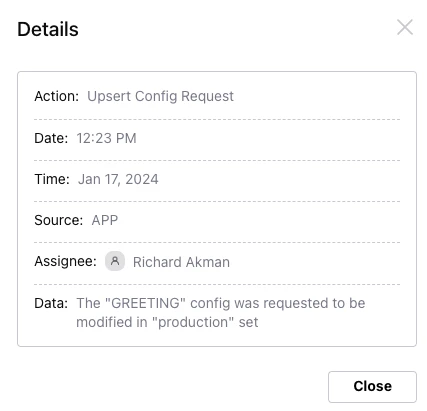
Mutations of protected sets create an `Upsert Config Request` [audit](/integrations/store/configu/audit-logs) entry.
Config sets that do not yet exist can also be protected.
Mutations of protected sets create an `Upsert Config Request` [audit](/integrations/store/configu/audit-logs) entry.
 ## Danger Zone
The following will be visible only to the organization owner.
## Danger Zone
The following will be visible only to the organization owner.
 * **Transfer Ownership** - Gives another member the owner role which has permissions for all organization resources. The previous owner is assigned the [default role](/integrations/store/configu/authorization#default-role).
* **Delete this organization** - Permanently deletes the organization, its resources, and cancels any ongoing subscription.
The following will be visible to all other organization members.
* **Transfer Ownership** - Gives another member the owner role which has permissions for all organization resources. The previous owner is assigned the [default role](/integrations/store/configu/authorization#default-role).
* **Delete this organization** - Permanently deletes the organization, its resources, and cancels any ongoing subscription.
The following will be visible to all other organization members.
 * **Leave this organization** - Removes you from the organization. You can only rejoin if reinvited.